
If you liked this, Pin to Pinterest, or save for later.
Does Your Website Need a Privacy Policy? (Spoiler: Almost Certainly, Yes)
If your Squarespace website has a contact form, a newsletter sign-up, or even just Google Analytics running quietly in the background, you're collecting personal data.
And if you're collecting personal data, UK GDPR says you need a privacy policy explaining what you do with it. No policy, no analytics tracking, no contact form? Pretty rare for a business. So the honest answer is: yes, you almost certainly need one.
In this post, we'll cover:
What a privacy policy, terms & conditions, and cookie consent banner actually do (and why they're not the same thing)
What UK GDPR actually asks of a small business website, no jargon, promise
Why a one-off template from a free generator can leave you exposed
How Termageddon solves this properly, and how to set it up
What it actually costs
Privacy Policy vs Terms & Conditions vs Cookie Consent — What's the Difference?
These 3 get lumped together constantly, but they do different jobs.
Privacy Policy — tells visitors what personal data you collect (names, emails, IP addresses) and what you do with it. This is the one UK GDPR legally requires if you collect any personal data.
Terms & Conditions — sets the rules for using your website or buying from you. Limits your liability if something goes wrong.
Cookie Consent Banner — the pop-up asking permission before non-essential cookies load (think Google Analytics, Facebook Pixel). Required under UK PECR alongside GDPR.
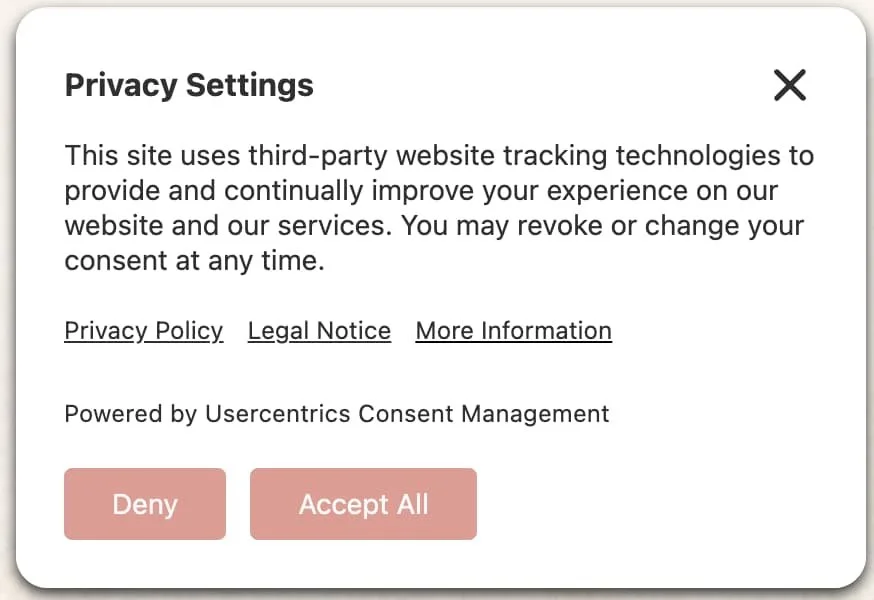
Example of my cookie banner using Termageddon

Thumbprint (you can choose where you’d like this to show up) - when this is clicked, the settings are expanded (see next photo)
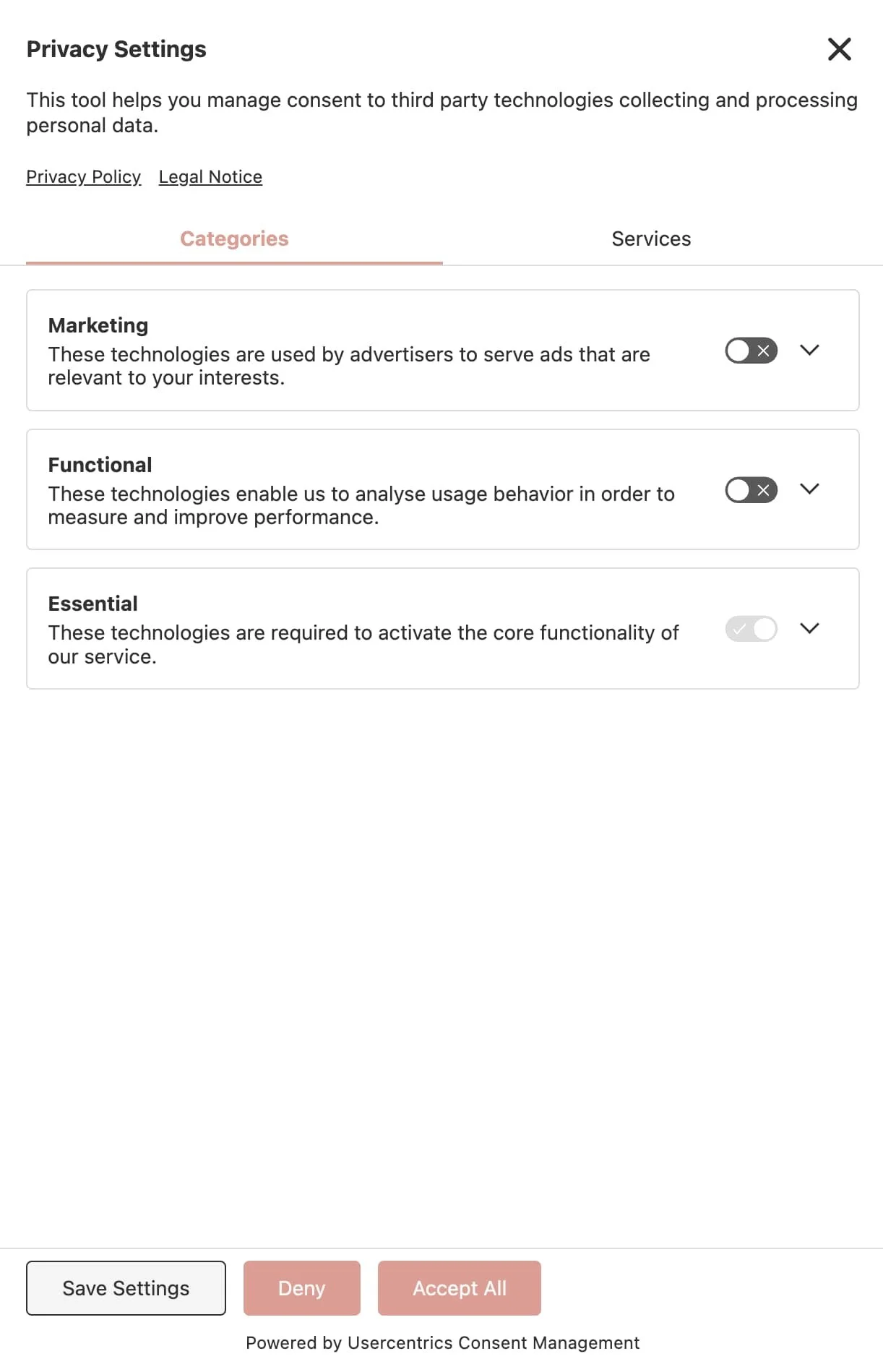
Privacy Settings - expanded version when the thumbprint is clicked.

My website - thumbprint example, bottom left
Think of it this way: your privacy policy is the "what we do with your data" conversation. Your terms are the house rules. And your cookie banner is the doorbell you ring before letting any tracking tech in.
Why "I'll Just Copy One From Another Website" Is a Bit of a Nightmare
I get why it's tempting. A privacy policy is dense, dry, and genuinely hard to write from scratch.
But copying one has two problems. First, it's not actually yours. A policy has to reflect your specific tools, data practices, and audience location. A coach in Harrogate using Squarespace, Acuity, and Flodesk has different disclosures to make than an architect using a completely different tech stack.
Second, and this is the bigger one: privacy law doesn't sit still. UK GDPR, the EU version, California's CPRA, Canada's PIPEDA, they all get amended, and new ones appear. A policy that was correct in 2023 can be quietly out of date now, with nobody telling you.
In January 2025, the ICO (Information Commissioner’s Office), reviewed 200 popular UK websites for cookie compliance. 134 of them, over two-thirds, were found non-compliant, mostly for cookie banners that didn't make consent genuinely clear or easy to decline. That's not a niche problem. That's the norm.
Termageddon — The Auto-Updating Option
This is where Termageddon comes in, and it's the tool I recommend to my own clients (disclosure below, don't worry, I'll be upfront).
Rather than a one-off generic template, Termageddon asks you a detailed questionnaire about your actual business: where you're based, who visits your site, which third-party tools you use (Squarespace, Google Analytics, Acuity, Flodesk, and so on). Then it builds policies specific to that. Crucially, it auto-updates them whenever the relevant law changes. You get an email, the policy updates itself via an embed code, and you pretty much don’t have to think about it.
What's included:
Privacy Policy — covering laws including UK GDPR, EU GDPR, CPRA, CalOPPA, VCDPA, PIPEDA, and Quebec Law 25, depending on where your business and visitors are based
Terms & Conditions
Cookie Policy and Consent Solution — with a built-in cookie scanner, automatic blocking of cookies until visitors consent, and a "do not sell my info" banner for US laws
Disclaimer and additional policy types depending on your business
It was built by a team founded by a privacy attorney who chairs the American Bar Association's ePrivacy Committee, so it's not a hobby project. It's also worth knowing it's a technology tool, not a law firm: it generates policies, it doesn't replace bespoke legal advice for complex situations.
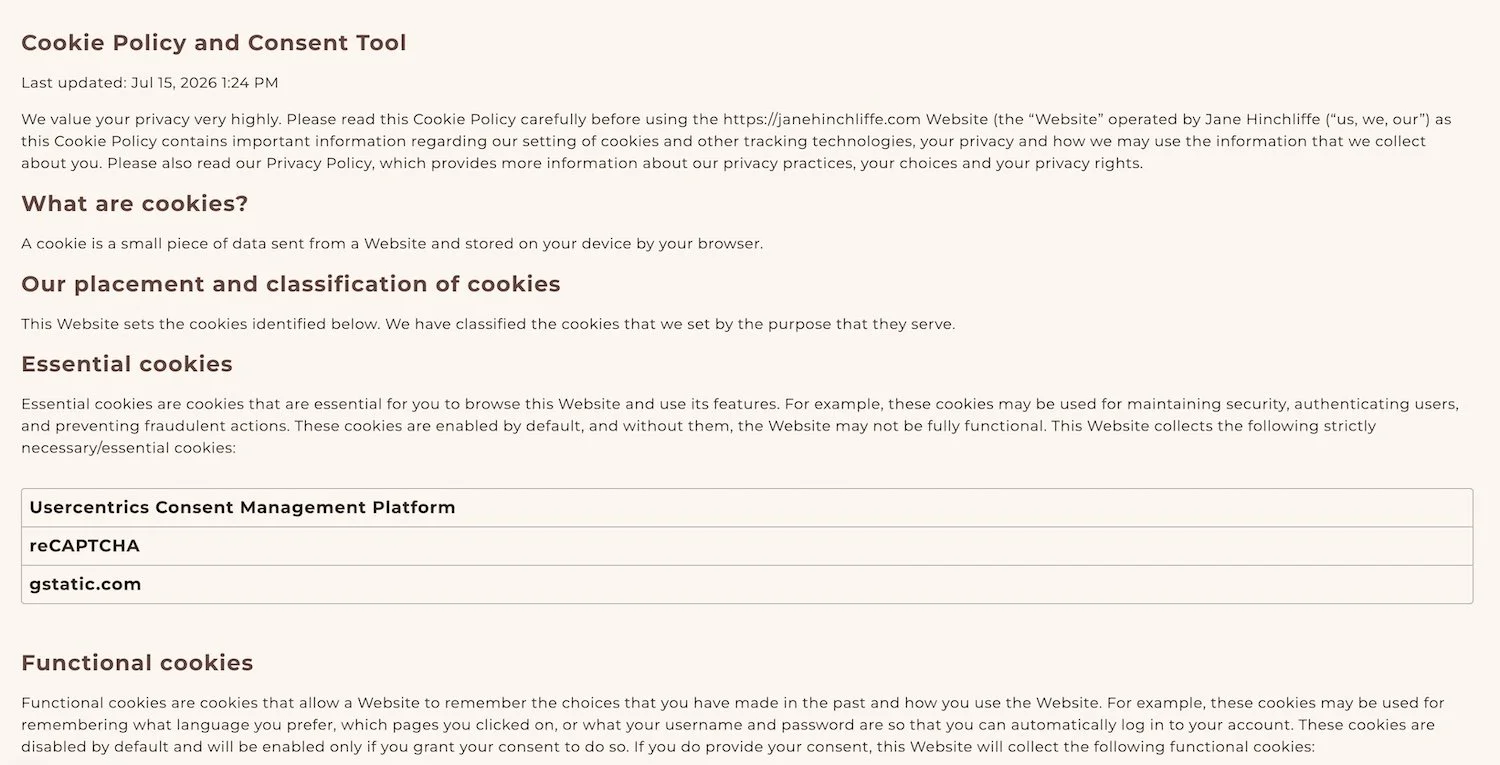
Example of my Cookie Policy and Consent Tool using Termageddon.
How to Set Termageddon Up on Squarespace
Getting it live takes a handful of steps, and none of them require touching code beyond copy-and-paste.
Click my affiliate link to get 10% off. One license covers one website.
Book a free set up appointment, or go ahead and fill out the generator. Details about your business, your audience's location, and the tools you use.
Copy the embed code onto your Privacy Policy, Terms, and Disclaimer pages in Squarespace (a code block does the job nicely).
Add the cookie consent script. This one usually sits in your site's header code injection.
Leave it be. When laws change, Termageddon updates the live policy automatically. No more digging back through old pages wondering if you're still covered.
A gentle note: if code injection makes your palms sweaty, this is exactly the kind of thing a VIP Maintenance Day is built for. Once you’ve filled out the generator, I set it up properly, test it, and you never have to touch it. 🌿
What Does Termageddon Cost?
Good news, this isn't a big-ticket line item.
Termageddon runs at roughly $12 a month, or $119 a year (pricing correct as of 2026) per website, modest, especially set against a potential ICO fine, which for cookie consent violations starts at £17,500.
Using code HINCHLIFFE gets you 10% off an annual plan.
Frequently Asked Questions
A few quick answers to the questions that come up most.
-
Yes. If your site has a contact form, booking tool, and any analytics running, you're collecting personal data, and UK GDPR applies regardless of business size. (Other tools/integrations may also apply.)
-
Free generators produce a generic, static template. They won't reflect your specific tools or update themselves when the law changes, which is where the real risk sits.
-
Yes. It covers UK GDPR, the ePrivacy Directive, and PECR-related cookie requirements, alongside EU, US, and Canadian laws where relevant.
-
You can absolutely DIY it with the embed code, but if you'd rather hand it over, this is a quick win for a VIP Maintenance Day. (You would need to fill in the generator, or book a free set up call with Termageddon, first.)
-
Yes, for most businesses. It covers UK GDPR and PECR-related cookie requirements specifically (not just the EU version), integrates cleanly with Squarespace via embed code, and the cost (around $119/year, not including my 10% for your first annual payment) is modest against a potential ICO fine, which starts at £17,500 for cookie consent violations alone.
The Takeaway 🌿
Your website doesn't need to be perfect to be compliant. It needs its legal bits sorted properly, once, by something that keeps working in the background.
Termageddon does the "set it and forget it" bit. I do the "make sure it's actually installed right" bit.
If your legal pages have been sitting untouched since launch day (no judgement, we've all got a list), a VIP Maintenance Day is the easiest way to get this, and the other bits and bobs on your website wish-list, properly sorted in one go:
VIP Maintenance — Half Day (3hrs): £349
VIP Maintenance — Full Day (6hrs): £698
AFFILIATE DISCLOSURE
I only share Termageddon because it's a tool I genuinely use and recommend to my clients — small compensation possible if you click through and purchase, at no extra cost to you.
Code HINCHLIFFE gets you 10% off an annual plan.