If you liked this, Pin to Pinterest, or save for later.
Picture this: A potential client is scrolling through LinkedIn or Instagram late at night, double-tapping images of beautifully styled rooms. They've just moved into their new home, and it's crying out for help. They land on your page, love what they see, tap your link… and immediately close the tab. Why?
Because your website doesn't match the calibre of your work, it's cobbled together, painfully slow to load, and navigating your portfolio feels like wandering through IKEA on a Saturday afternoon (we’ve all been there)—frustrating and a tad overwhelming.
Think of it this way: Your interior design portfolio deserves a website that's as stunning as the spaces you create.
That's where Squarespace website design for interior designers becomes absolutely crucial.
When 48% of people cite website design as the number one factor in determining business credibility, you're quite literally letting potential earnings slip through your fingers if your site doesn't do your work justice. Source: Linearity Web Design Statistics, 2023
In this blog post, we'll cover:
Why interior designers need Squarespace (and why generic templates won't cut it)
Essential features every interior design Squarespace website must have
Step-by-step process for turning your portfolio into a lead-generating machine
Examples of what works (and what doesn't)
Let's transform your digital presence from "meh" to "bloody stunning," shall we? 🎨
You can find my professional website design service details right here:
Why Interior Designers Can't Afford to Have a Subpar Website Anymore
Think of it this way: You wouldn't show a client a mood board created with a crayon and construction paper, would you? Yet so many talented interior designers are doing the digital equivalent with DIY websites that look like they were built in 2008.
The data tells a proper story here. According to recent industry research, 94% of initial impressions are design-related, and 88% of consumers (Both data points, source: Linearity Web Design Statistics, 2023) won't return to a website after a bad experience. For an interior designer, that's not just a lost visitor—it's a lost project worth thousands (or tens of thousands) of pounds.
The Interior Design Website Challenge
Interior designers face a unique situation when it comes to websites. You need to:
Showcase image-heavy portfolios without sacrificing site speed
Communicate your aesthetic instantly whilst maintaining professional credibility
Tell the story behind each project (not just show pretty pictures)
Make it easy for high-end clients to imagine working with you
Update your portfolio regularly without needing to call a developer every blooming time
This is precisely why Squarespace website design for interior designers has become the go-to solution for established design professionals who want control, beauty, and functionality.
What Makes Squarespace the Interior Designer's Secret Weapon?
1. It's Built for Visual Storytelling
Squarespace is designed with creatives in mind.
Unlike WordPress (which started as a blogging platform and feels like it) or Wix (which can look a bit DIY no matter how hard you try), Squarespace can give you that polished, magazine-quality aesthetic.
Bonus: You might like this blog post for recognising when you need a brand identity refresh.
2. Mobile-First Design That Actually Works
Well over 50% of your potential clients are browsing on their phones whilst standing in the coffee queue, during their lunch break, or at home.
Squarespace has a separate mobile editor so it can be designed just right. Your stunning before-and-after photos look just as lush on a smartphone as they do on a 27-inch iMac.
3. No Coding Required (But Custom Code Available if You Want It)
You can create a professional interior design website without knowing a lick of code.
But if you want to add custom functionality down the line? Squarespace allows that too. The best of both worlds.
4. Built-In SEO and Analytics
Squarespace comes with proper SEO features baked in:
Automatic sitemap generation
SSL security (Google loves this)
Easy to create meta descriptions and alt text
Google Analytics integration
This means your stunning website actually gets found by people searching "interior designer [your city]" or "luxury home designer near me."
Here’s the Squarespace SEO Guide.
And, if you’re needing a bit more help, my faveeasy-to-use, jargon-free, DIY-friendlySEO tool for Squarespace is called SEOSpace*. I use this and recommend it for clients.
Bonus: Read my post on Squarespace SEO and get the free checklist.
Essential Features Every Interior Design Squarespace Website Needs
Right then, let's talk specifics. If you're investing in Squarespace website design for interior designers, these features are non-negotiable:
1. A Portfolio That Actually Sells
Your portfolio isn't just a digital filing cabinet. It's your primary sales tool. Here's what it needs:
Must-haves:
Full-width image galleries that do your photography justice
Individual project pages (not just a photo dump)
Before-and-after comparisons
Project details: location, scope, budget range, timeline
Your role in the project (especially if you collaborated with architects or builders)
Client testimonials specific to that project
Pro tip: Organise projects by room type, OR style OR budget level—whichever makes the most sense for attracting your ideal client. If you want luxury residential projects, don't bury them beneath your commercial work or budget makeovers.
2. Homepage That Hooks Visitors in 3 Seconds
You have roughly 3 seconds before someone decides whether to stay or bounce.
Your homepage needs:
A hero image that stops the scroll (your absolute best work, properly lit, professionally photographed)
A clear headline that says what you do and for whom (e.g., "Luxury Residential Interior Design for Modern Families in Leeds")
A compelling subheadline that speaks to transformation ("From Builder-Grade Bland to Magazine-Worthy Beautiful")
One clear call-to-action (e.g., "Book a Discovery Call," "View Our Portfolio," "Download Our Project Guide")
3. An About Page That Builds Trust
Potential clients aren't just hiring your aesthetic—they're hiring you!
Your about page should:
Share your design philosophy and approach
Include a professional photo (or several showing you in your element)
Mention relevant credentials, training, or awards
Tell your story without writing a blooming autobiography
End with a call-to-action
Here’s my blog post on how authentic storytelling can transform your about page.
4. Service Pages That Educate and Convert
Don't make potential clients play detective to understand what you offer.
Create separate pages for:
Full-service interior design
Room makeovers
Consultations
Trade services (if you offer them)
Each page should include:
What's included in the service
The process (people love knowing what to expect)
Typical investment range
Who it's perfect for
FAQs
A clear next step
5. Blog or Journal (For SEO and Authority)
A blog section helps you:
Rank for keywords beyond "interior designer [your city]"
Showcase your expertise
Build trust with potential clients
Stay top-of-mind with past clients
Content ideas:
Behind-the-scenes of recent projects
"How to choose the right…" guides (paint colours, furniture, lighting)
Seasonal trends you're loving
Common design mistakes and how to avoid them
"Designer's picks" or product roundups
6. Contact Page That Makes It Easy
Don't make people search all around your site to hire you.
Your contact page needs:
A simple contact form (name, email, phone, project type, brief message)
Your location (even if you travel, clients want to know you're local-ish)
Social media links
Your email and phone (if you're comfortable sharing)
Clear expectations: "We respond within 24 hours on weekdays"
Blog post showing how to write and design an effective contact page.
Bonus feature: Add a scheduling link (like Acuity or Calendly; both integrate beautifully with Squarespace) so high-intent clients can book a discovery call immediately.
The Professional Process: Creating Your Squarespace Website That Converts
Whether you're working with a web designer or going the DIY route, understanding the strategy behind a high-converting interior design website is crucial. Here's the professional process—and why each step matters.
(Spoiler: If you get to step 3 and think "wow, this is more complex than I thought," that's exactly when it’s time to get in touch with a professional Squarespace web designer. No shame in that. It's literally what I’m here for. 🤎)
Step 1: Define Your Ideal Client (Before You Touch Any Tech)
Seriously. Don't miss this out. Your website should speak to one specific person, not "anyone who needs interior design."
Ask yourself:
Who is my dream client? (Demographics: age, location, income level, lifestyle)
What's their biggest challenge or desire when it comes to their space?
What objections might they have about hiring a designer?
What transformation are they ultimately buying?
Example: "My ideal client is a 40-something woman in Harrogate with a successful career, two kids, and a beautiful Victorian home that feels chaotic and mismatched. She wants a home that reflects her success and feels calm, not cluttered. Her objection? She worries hiring a designer means her home will look 'done' rather than personal."
Now write your website for her.
Step 2: Get the Technical Foundation Right
Here's where most interior designers get stuck.
You might think you can pick a pretty Squarespace template and slot your images in, but that's like thinking you can design a room by ordering furniture from a catalogue without considering the architecture, flow, or how your clients actually live in the space.
As a professional Squarespace designer, I will:
Create a structure that best supports your portfolio size and style
Customise it extensively so it doesn't look like everyone else's site
Optimise image sizes for fast loading without sacrificing quality
Set up proper navigation that guides visitors toward booking
Build mobile responsiveness that actually works (not just "technically" responsive)
Create a cohesive visual brand across every page
The difference between a DIY Squarespace site and a professionally designed one? About the same as the difference between someone following a Pinterest board and hiring you to design their home.
Step 3: Organise Your Portfolio Like a Curator, Not an Archivist
Quality over quantity. Always.
Portfolio organisation options:
By Project Type: Residential / Commercial / Renovations
By Style: Modern / Traditional / Transitional / Coastal
By Room: Kitchens / Living Spaces / Bedrooms / Whole Home
By Budget: Luxury / Mid-Range / E-Design
Choose the filter that helps your ideal client find themselves in your work.
For each project, include:
8-15 high-quality images (not 47)
Project name and location
Brief project description (the challenge, your approach, the outcome)
Specific services provided
Timeline and approximate budget range (optional but builds trust)
Client testimonial, if available
Step 4: Write Copy That Converts (Not Just Describes)
Your website copy, aka the words for your site, should focus on the transformation, not just the transaction.
Instead of: "We offer full-service interior design, including space planning, material selection, and project management."
Try: "Imagine walking into your home and finally feeling that exhale—the one where everything just works. Where your beautiful antique dresser doesn't clash with your modern sofa. Where your kitchen is functional and photo-worthy, that's what we create."
Writing framework:
Hook (identify the problem or desire)
Agitate (why does this matter? What's the cost of not addressing it?)
Solution (how you solve it)
Proof (testimonials, portfolio examples, credentials)
Call-to-action (what should they do next?)
Pro tip: Copywriting is a proper skill. If writing isn't your forte (and why should it be? You're an interior designer, not a copywriter), this is where I can help you, as someone who understands that brand messaging makes a massive difference. I don't just make things look pretty—I know how to write the words for your website that are more likely to convert.
Step 5: Optimise for SEO From Day One
Don't treat SEO as an afterthought. Build it in from the start.
On every page:
Include your primary keywords naturally in the page title, first paragraph, and at least one heading
Write descriptive image alt text (good for SEO and accessibility): "Modern open-plan kitchen design Leeds", not "IMG_4739"
Add a meta description for every page
Use header tags properly (H1 for page title, H2 for main sections, H3 for subsections)
Include internal links to other relevant pages on your site
Local SEO musts:
Mention your location, particularly on your homepage
Create location-specific service pages if you serve multiple areas
Add your business to Google Business Profile
Include your address and phone number in the footer
Tools that help:
SEOSpace* (the Squarespace-specific SEO plugin—absolute game-changer - I use this and recommend it to clients)
Google Search Console (free and essential)
Google Analytics (free; track what's working)
Real talk: SEO is technical, ever-changing, and honestly a bit of a pain if it's not your thing. As a professional Squarespace designer, I build SEO foundations into every site from day one—proper structure, optimised images, clean code, strategic keywords. It's the difference between hoping Google finds you eventually and actively climbing the rankings from launch day.
Step 6: Add Trust Signals Throughout
High-end clients need reassurance before reaching out. Build trust with:
Testimonials: Not just "Jane was great!"—get specific. "Within three months of completing our project with Sarah, we had the kitchen featured in House & Garden. Her attention to detail and understanding of how we actually live made all the difference."
Press and features: Been featured in design publications? Mentioned in a local newspaper? Put it front and centre.
Certifications and affiliations: BIID, SBID, or other relevant design organisations
Insurance and credentials: Mention professional indemnity insurance if you have it
Process transparency: Show clients exactly what working with you looks like
Step 7: The Professional Testing Process
Before any website launches, there's a crucial testing phase that most DIY sites skip entirely. As a professional designer, I will:
Test across devices:
Desktop (Mac and PC)
Mobile (iPhone and Android)
Different browsers (Chrome, Safari, Firefox, Edge)
Key questions being tested:
Is it immediately clear what you do and who you serve?
Can they easily view your portfolio?
Is it obvious how to contact you?
Does the site load quickly?
Are there any confusing bits or broken elements?
This is the difference between a site that looks nice and a site that converts. You're not just testing that buttons work—you're testing the entire experience that guides someone towards booking you.
Step 8: Launch and Drive Traffic
Your beautiful new website won't generate leads if no one sees it. Drive traffic through:
Immediate actions:
Update your social media bio links
Email your mailing list
Share a "website reveal" post on Instagram and Facebook
Update your email signature
List your business on design directories
Ongoing tactics
Regular blog posts (2-4 per month)
Instagram posts linking to specific portfolio projects
Pinterest pins (interior design is one of Pinterest's top categories)
Local SEO optimisation
Networking and partnership mentions
What Works in Interior Design Squarespace Websites
Let's look at what successful interior designers are doing right (and what to avoid):
What Works: Clean, Confident, Client-Focused
Example approach 1: The Luxury Minimalist
Lots of white space
Large, full-bleed imagery
Muted, sophisticated colour palette
Copy that's elegant but not stuffy
Clear service tiers
Why it works: Appeals to high-end clients who appreciate restraint and sophistication
Example approach 2: The Warm Storyteller
Personal about section with behind-the-scenes photos
Project pages that read like mini case studies
Approachable, friendly copy
Clear process timeline
Why it works: Builds trust and connection, perfect for residential clients who want to feel comfortable
Example approach 3: The Editorial Expert
Magazine-style layout
Featured in prestigious publications, prominently displayed
Award-winning projects highlighted
Polished, professional tone
Why it works: Establishes immediate authority and credibility
What Doesn't Work: The Common Pitfalls
❌ Too many fonts, colours, and competing elements → Makes you look unprofessional
❌ Portfolio photos straight from the phone → Invest in proper photography or don't show the project
❌ Vague service descriptions → "We do design stuff" isn't helpful
❌ No clear call-to-action → Don't make people guess what to do next
❌ Slow loading times → Compress those gorgeous images!
❌ No mobile optimisation → Half your traffic will bounce
❌ Generic stock photos → Clients want to see your actual work
“A brand is the set of expectations, memories, stories and relationships that, taken together, account for a consumer’s decision to choose one product or service over another.”
DIY vs Professional Squarespace Design: What's the Real Difference?
Right then, let's address the elephant in the room. You're probably thinking: "Can't I just buy a Squarespace subscription and do this myself?"
Technically? Yes. Practically? That's like asking if you can technically design your own home.
The DIY Reality Check
What seems simple:
Pick a template
Upload photos
Write some copy
Launch
What actually happens:
Spend 3 weeks researching templates
Upload 47 photos only to realise they're too large and the site loads like treacle
Write copy that sounds like everyone else's website
Struggle with navigation structure
Get frustrated with mobile layout issues
Launch something that's "fine" but doesn't convert
Feel vaguely embarrassed every time you share the link
Go down a rabbit hole to understand the technicalities of SEO
Your time investment: 40-60 hours minimum (and that's if you're tech-savvy)
The Professional Design Reality
What you get:
Strategic portfolio structure based on your ideal client
Copy that speaks to transformation, not just transactions
Properly optimised images that load quickly
Mobile experience that actually works
SEO foundation from day one
Brand consistency across every page
A website you're genuinely proud to share
Your time investment: A few hours for discovery calls, content gathering, and feedback
The thing is… Your time is billable. Every hour you spend wrestling with Squarespace is an hour you're not spending on client work, business development, or—revolutionary thought—having a life outside your business.
But The Benefits Go Beyond Just New Projects:
Time Freedom: No more midnight website faffing sessions. Your evenings are yours again.
Professional Credibility: A polished website justifies premium pricing and attracts premium clients.
Mental Space: One less thing to worry about means more headspace for actual design work.
Scalability: A proper website structure that grows with your business instead of needing a complete rebuild every two years.
Lead Quality: When your website clearly communicates who you serve and how you work, you get better-fit enquiries from the start.
The Hidden Cost of Waiting
Every month you operate with a subpar website, you're:
Losing potential clients to competitors with better sites
Undercharging because your presentation doesn't support premium pricing
Spending time answering questions that should be answered on your website
Missing out on organic Google traffic because your SEO is rubbish
How much is that costing you?
Squarespace vs Other Platforms: Why Interior Designers Choose Squarespace
You might be wondering: Why not WordPress? Wix? Shopify? Let's break it down:
Squarespace vs WordPress
WordPress Pros: The dreaded plugins, more customisation options, more complex functionality
WordPress Cons: Steeper learning curve, requires more maintenance, security vulnerabilities, and plugin conflicts are a nightmare (I have direct experience of this)
Here’s my blog post comparing Squarespace vs Wix vs WordPress.
The Verdict: Choose WordPress if you need very specific and complex functionality, with lots of coding. Choose Squarespace if you want beautiful portfolios without the tech headaches.
Squarespace vs Wix
Wix Pros: Slightly cheaper, lots of templates
Wix Cons: Can look DIY, SEO isn't as robust, and less elegant for portfolio sites
The Verdict: Squarespace feels more professional and polished—essential when you're selling luxury design services.
Squarespace vs Showit
Showit Pros: Good design flexibility
Showit Cons: More expensive, steeper learning curve, WordPress blog required for SEO
The Verdict: Showit is brilliant for brand photographers wanting total design control. Squarespace hits the sweet spot of beautiful, functional, and manageable for most interior designers.
Common Squarespace Questions from Interior Designers
Q: Can I update my Squarespace site myself after it's professionally designed, or will I need a designer forever?
A: In short, yes! I want you to have a site you can manage yourself for day-to-day updates. After your site is professionally set up with the right structure, you can absolutely add new projects, update copy, swap images, and make tweaks yourself. Think of it like your home: you hire an interior designer to get the bones and layout right, but you can still rearrange the cushions and swap out seasonal accessories. For bigger changes (new pages, style refresh, technical issues), you may want designer support—and I offer Squarespace Help Sessions or VIP web maintenance days (or half days), for exactly that.
Q: How long does it take to build a professional Squarespace site?
A: Full Custom Design: 4-8 weeks typically, including strategy, design, revisions, and launch support
Pro tip: The timeline depends largely on how quickly you can provide content (photos, branding, your words for the site, or I can help with this, and testimonials). The actual design work? That's the quick bit. It's the foundational strategy and content gathering that usually adds time. I’ll give you a clear estimate upfront so you know exactly what to expect.
Q: Will my Squarespace site show up in Google?
A: Yes! Squarespace has solid SEO features built in. But showing up in Google requires more than just having a website—you need good content, proper optimisation, and some patience. SEO is a marathon, not a sprint.
Q: Can I sell design products or e-books on Squarespace?
A: Absolutely. Squarespace has built-in e-commerce functionality. Perfect for selling design guides, consultation packages, or even curated homeware.
Q: What about GDPR and privacy compliance?
A: Squarespace has GDPR-compliant cookie banners. I personally use Termageddon* and recommend it for legal page policy generators.
Q: Can I have a client portal or password-protected pages?
A: Yes! Squarespace allows password-protected pages, perfect for client galleries, a private blog, or mood board sharing.
Takeaway: Your Website Should Work as Hard as You Do
Right then, let's wrap this up with the good stuff:
Your interior design portfolio is stunning. Your taste is impeccable. Your project management skills are on point. But if your website doesn't communicate all of that within 3 seconds of someone landing on it, you're missing out on opportunities—and quite frankly, leaving money right there for the taking.
Squarespace website design for interior designers isn't just about having a pretty website (though that's certainly part of it). It's about creating a lead-generating machine that:
Shows your work in the best possible light
Builds trust with potential clients
Makes it easy for people to hire you
Works for you 24/7, even when you're not
The thing is… You don't have to figure this out alone.
Your Next Steps:
If you're ready to create a Squarespace website that turns your portfolio into a proper client magnet:
You have three options:
Option 1: The DIY Route
Time investment: 40-60+ hours
Cost: Your Squarespace subscription + your sanity
Risk: Ending up with something "fine" that doesn't convert
Best for: Designers just starting with very limited budgets
Option 2: The Guided Approach
Start with my Pro Website Audit with Strategy
Get a professional assessment of what's working (and what's not)
Receive a strategic action plan
Decide whether to implement yourself or bring me in to execute
Best for: Designers who want clarity before investing
Option 3: The Professional Route
I handle everything from strategy to launch
Your time investment: A few hours for discovery and feedback
You get: A website you're genuinely proud to share
Best for: Established designers who value their time and want it done properly
Ready to chat about what your interior design business actually needs?
Book a discovery call and let's have a relaxed chat about creating a Squarespace website that's as stunning as your interiors—without you spending the next six weeks glued to your laptop at midnight.
Remember: A professional website isn't a luxury—it's the foundation of a scalable, sustainable interior design business. And you absolutely deserve a digital presence that matches the calibre of your work. ✨
Disclosure: This blog post contains affiliate links. If you click through and make a purchase, I'll be compensated at no cost to you.
Here are some of my favourite business tools, apps, services and brands that I genuinely use, have on my list to purchase or recommend to clients.
Thanks 🌟 for being here, and if you’d like more tips, tools, and tricks [without the overwhelm], to help YOU grow your small business, I’d love to have you join my twice-monthly HeartBiz 💌 Letter.
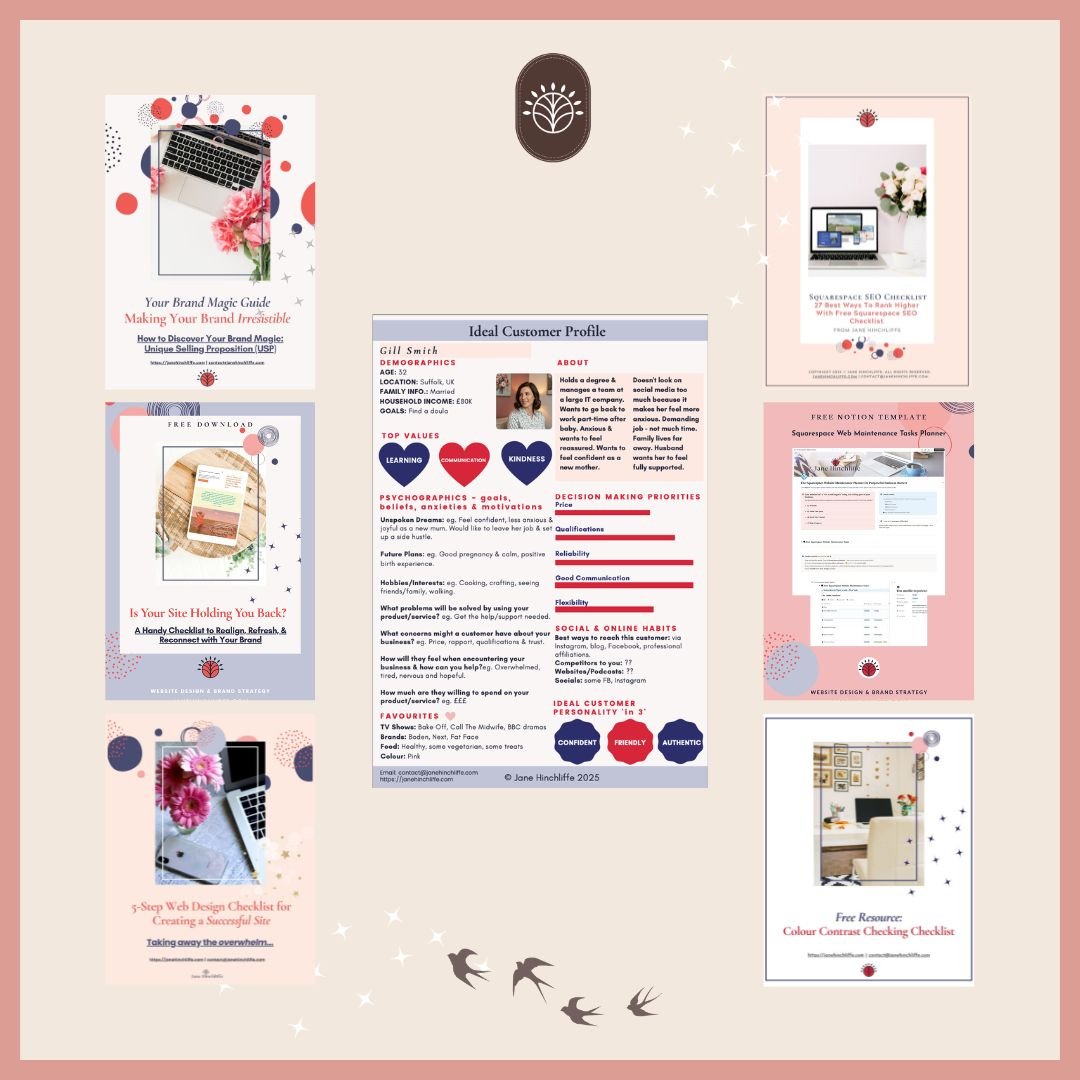
Go here for my Free Web Resource downloads.